
Technology
Digital twin planning
Combines planning and simulation for smart factories, manufacturing lines, warehousing and logistics.
Talk to an expertBuild a scene
- File
- Edit
- Controllers
- Logic
- Simulation
- Assessment
- Help
Model library
- Mobile manipulators
- Industrial robots
- Warehouse equipment
- Components and fixtures
Arrange models
- Move
- Rotate
- Group
- Snap
- Scale
- Top / front / side views
Import and export
- 3D models
- CAD drawings
- Model configuration
- BOM
- STL
- Screenshots and recordings
Twin Elephant Digital Twin Planning Platform
Twin Elephant is an integrated planning and simulation platform developed by Shandong Jingshi Intelligent Technology Co., Ltd. for smart manufacturing projects, including smart factories, production lines, warehousing and logistics.Build a scene
- File
- Edit
- Controllers
- Logic
- Simulation
- Assessment
- Help
Model library
- Mobile manipulators
- Industrial robots
- Warehouse equipment
- Components and fixtures
Arrange models
- Move
- Rotate
- Group
- Snap
- Scale
- Top / front / side views
Import and export
- 3D models
- CAD drawings
- Model configuration
- BOM
- STL
- Screenshots and recordings
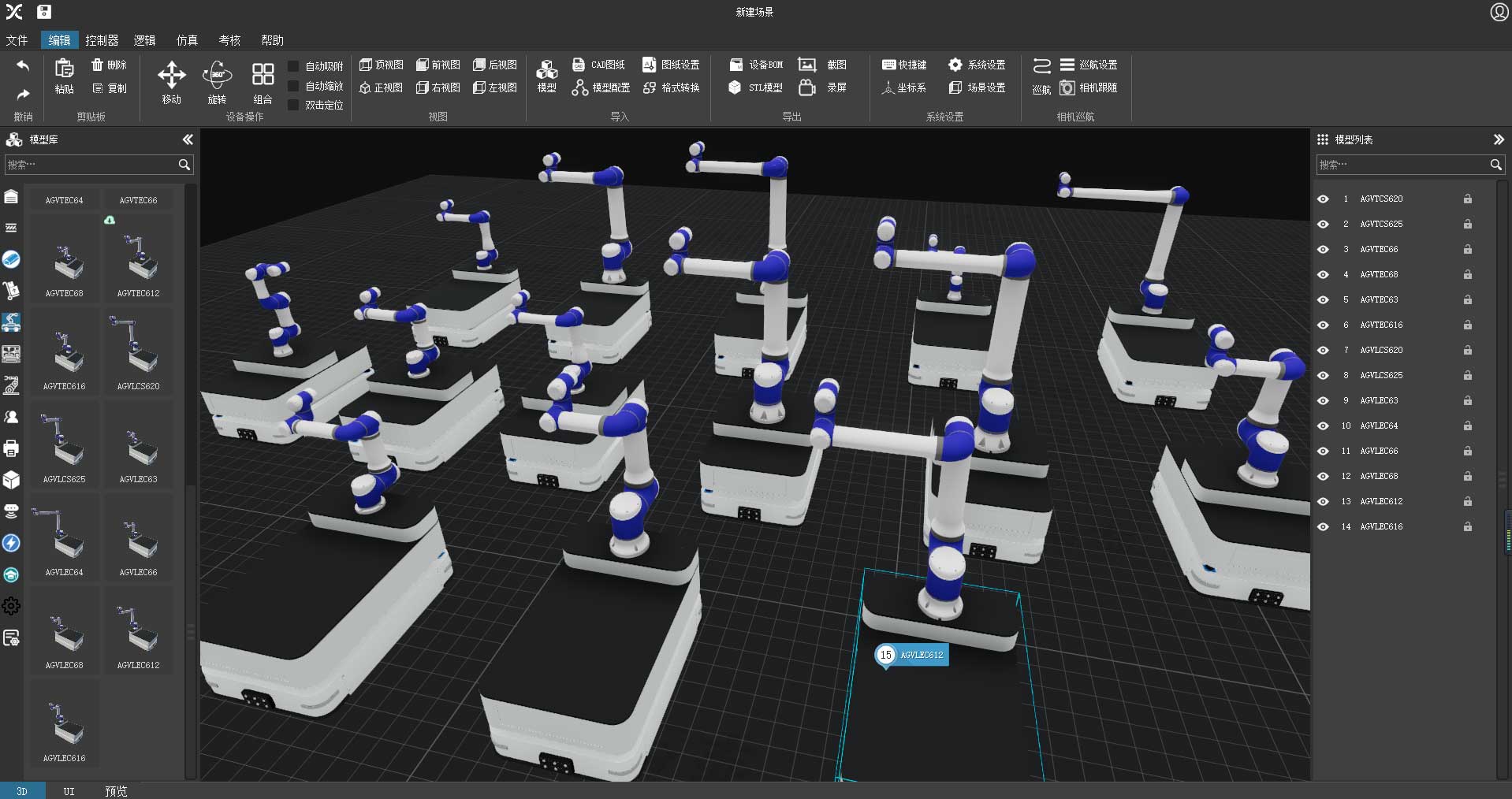
The example compares multiple mobile-manipulator configurations in a shared 3D scene.
View original interface
Feature highlights
Build a scene
- File
- Edit
- Controllers
- Logic
- Simulation
- Assessment
- Help
Model library
- Mobile manipulators
- Industrial robots
- Warehouse equipment
- Components and fixtures
Arrange models
- Move
- Rotate
- Group
- Snap
- Scale
- Top / front / side views
Import and export
- 3D models
- CAD drawings
- Model configuration
- BOM
- STL
- Screenshots and recordings
The example compares multiple mobile-manipulator configurations in a shared 3D scene.
View original interface
A standard JINSYS mobile manipulator model library for faster selection
Includes JINSYS full range of standard mobile manipulator models, with I-, T- and L-type chassis and arm payloads from 3 kg to 25 kg. Build scenes by dragging and dropping models.Selected model
- AGVLEC616
- Position: X 1.349 m / Y 0.000 m / Z 0.723 m
- Rotation: RX 0° / RY 0° / RZ 0°
Base dimensions
- Length: 1.035 m
- Width: 0.685 m
- Support height: 0.1 m
L-shaped platform
- Length: 0.4 m
- Height: 0.5 m
Scene tools
- Model library
- Model properties
- Model list
- Position and rotation
View original interface
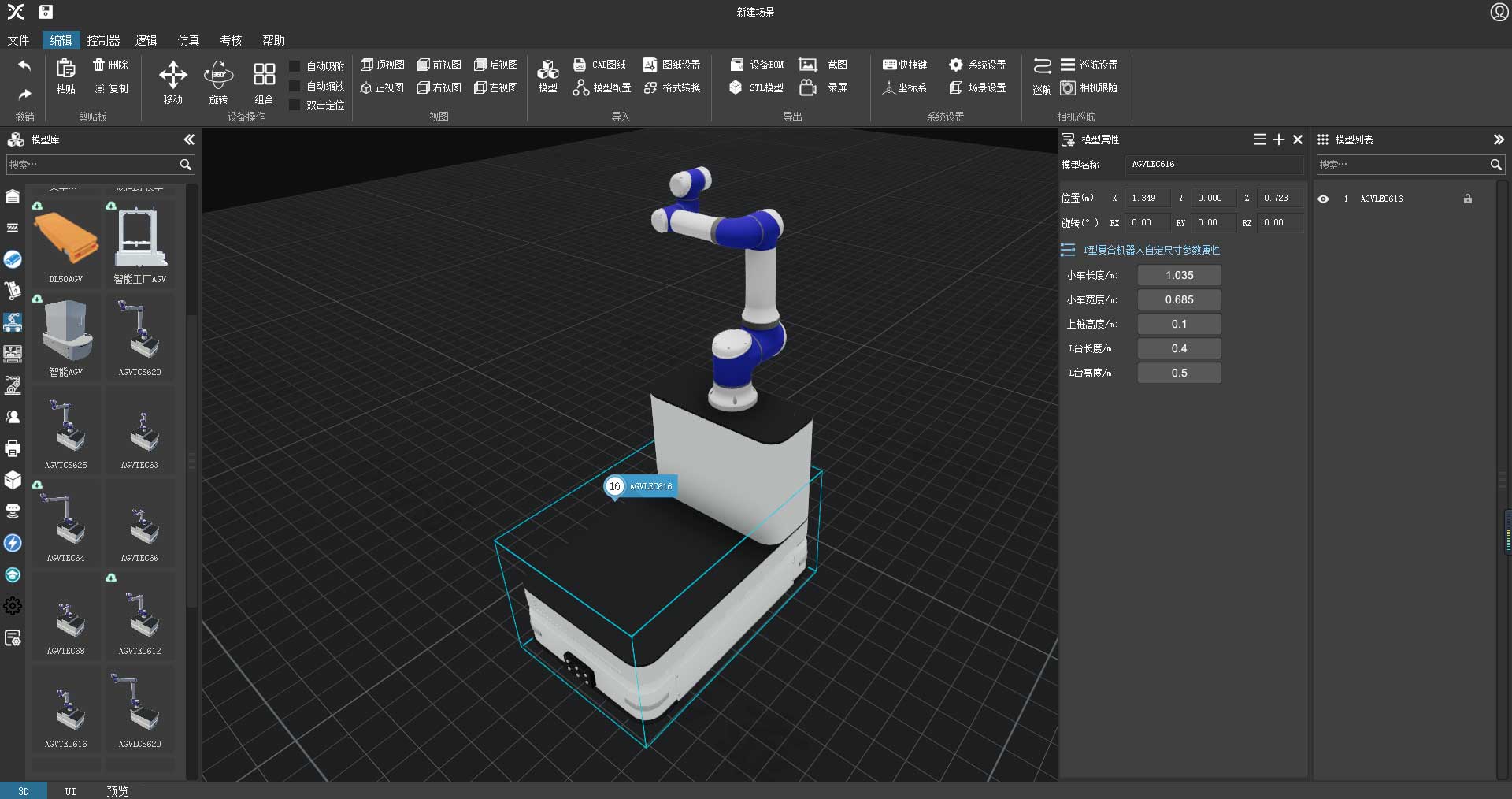
Customize chassis dimensions for specific applications and vehicle requirements
Adjust the dimensions of a standard chassis model to meet the space requirements of a particular application.Select a robot
- ABB
- KUKA
- FANUC
- Yaskawa
- Delta
Attach tooling
- Vacuum gripper
- Robot gripper
- Grinding tool
- Dispensing tool
- Spraying tool
- Universal fixture
- End fixture
- Welding torch
Configure the assembly
- Model name
- Position
- Rotation
- Dimensions
View original interface
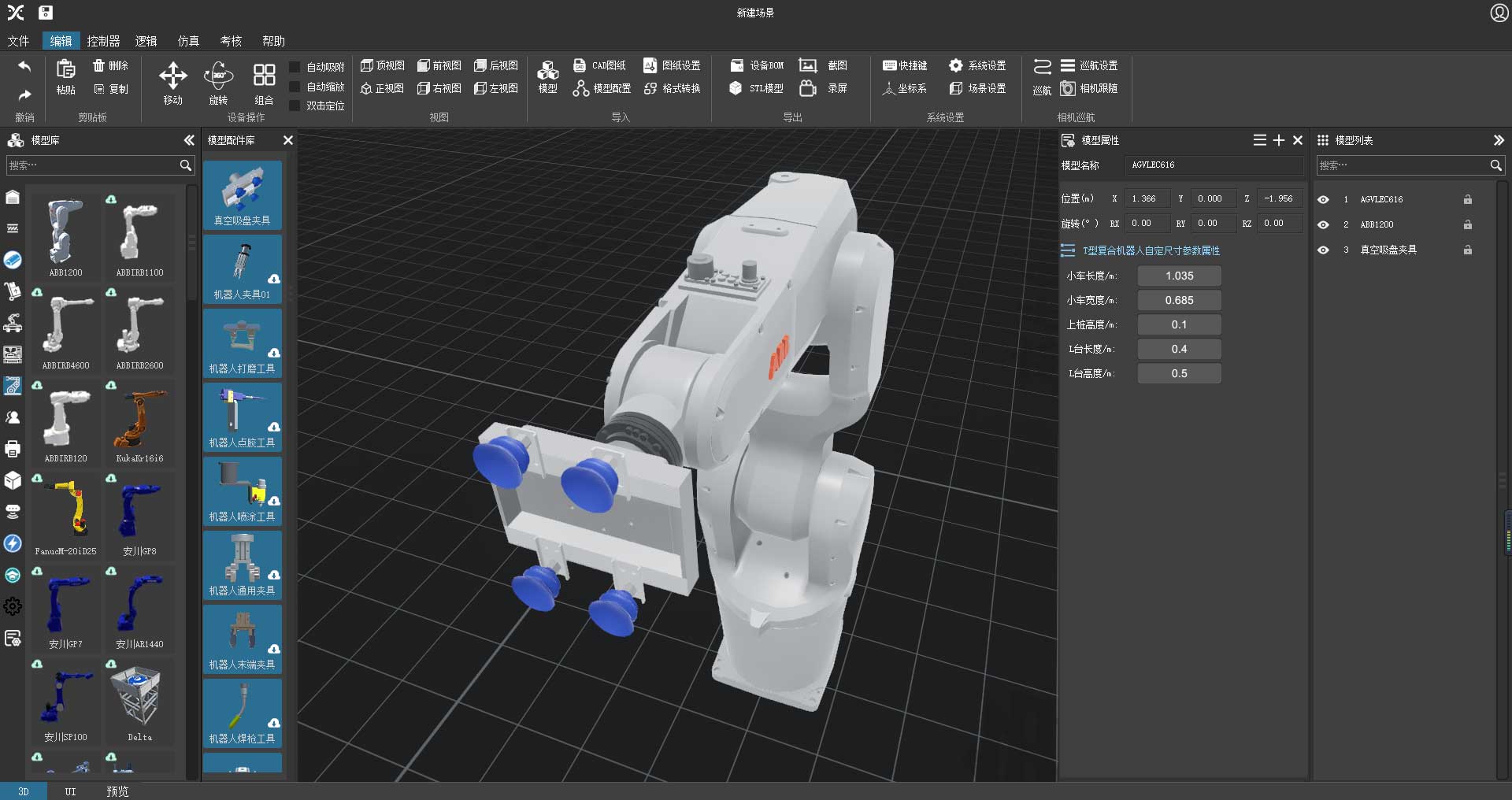
Choose standard end tools and backpack modules from a secondary library
The mobile manipulator component library includes standard grippers and backpack modules. Drag components onto the arm end effector and run dynamic motion simulations.Import a model
- Browse file
- Model hierarchy
- 3D preview
Configure materials
- Material color
- Metallic level
- Smoothness
Configure geometry
- Model type
- Model name
- Length / width / height (mm)
- X / Y / Z rotation
- Scale factor
Complete configuration
- Select components
- Thumbnail
- Motion relationships
- Save
View original interface
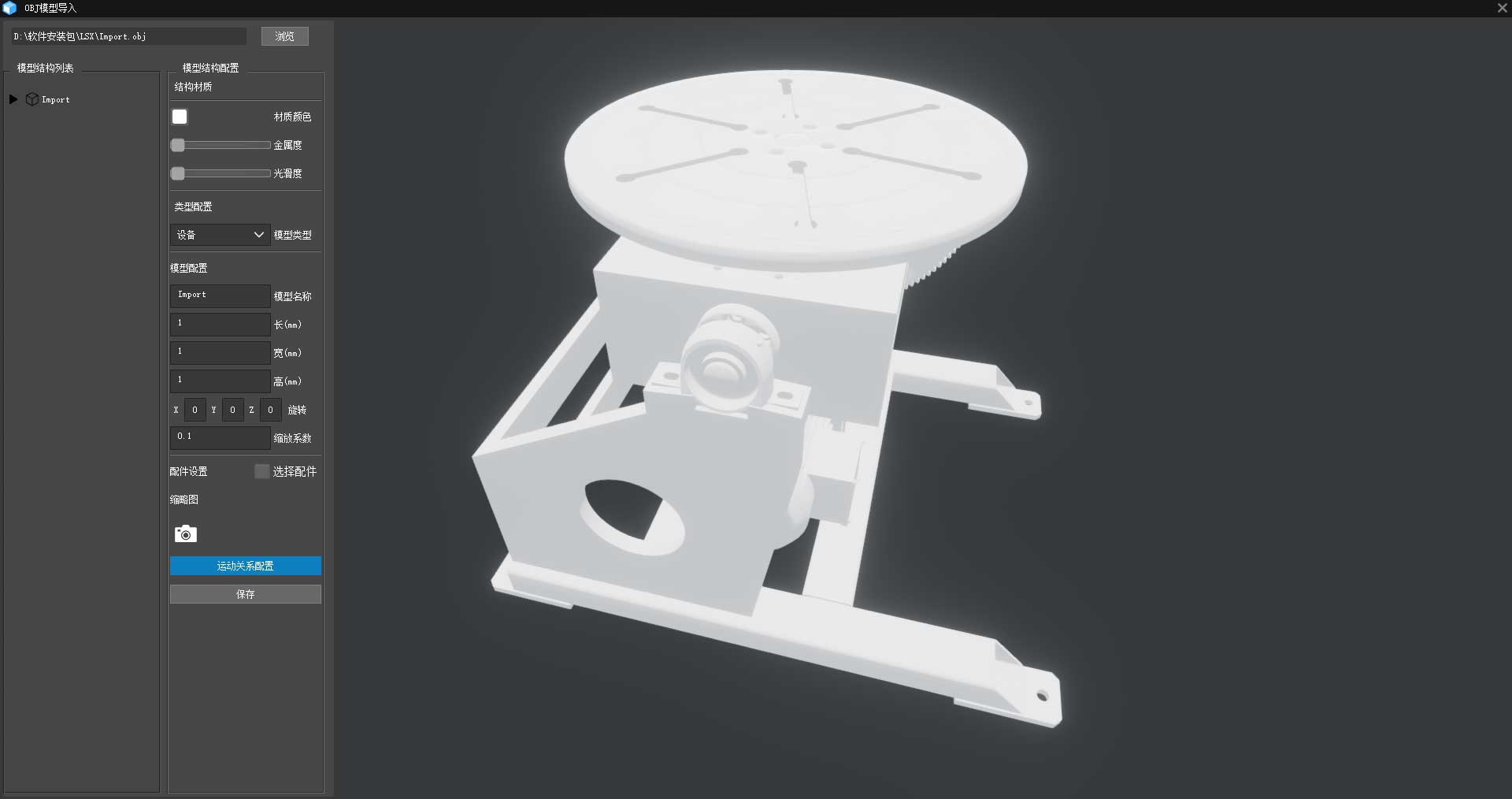
Import external models to customize end tools and backpack modules
Import custom models with support for model conversion, appearance customization, parameter configuration and motion mechanisms.Teach positions
- Add teaching point
- Cartesian jog: X / Y / Z / RX / RY / RZ
- Joint jog: base, shoulder, elbow and three wrist axes
Program commands
- MoveJ
- MoveL
- MoveC
- MoveLOffs
- WaitTime
- WaitDI
- Set
- Reset
Run a program
- Target position
- Speed
- Save program
- Run
Controller integration
- PLC connection
- Microcontroller connection
- I/O variables
- API
- Start / stop connection
View original interface
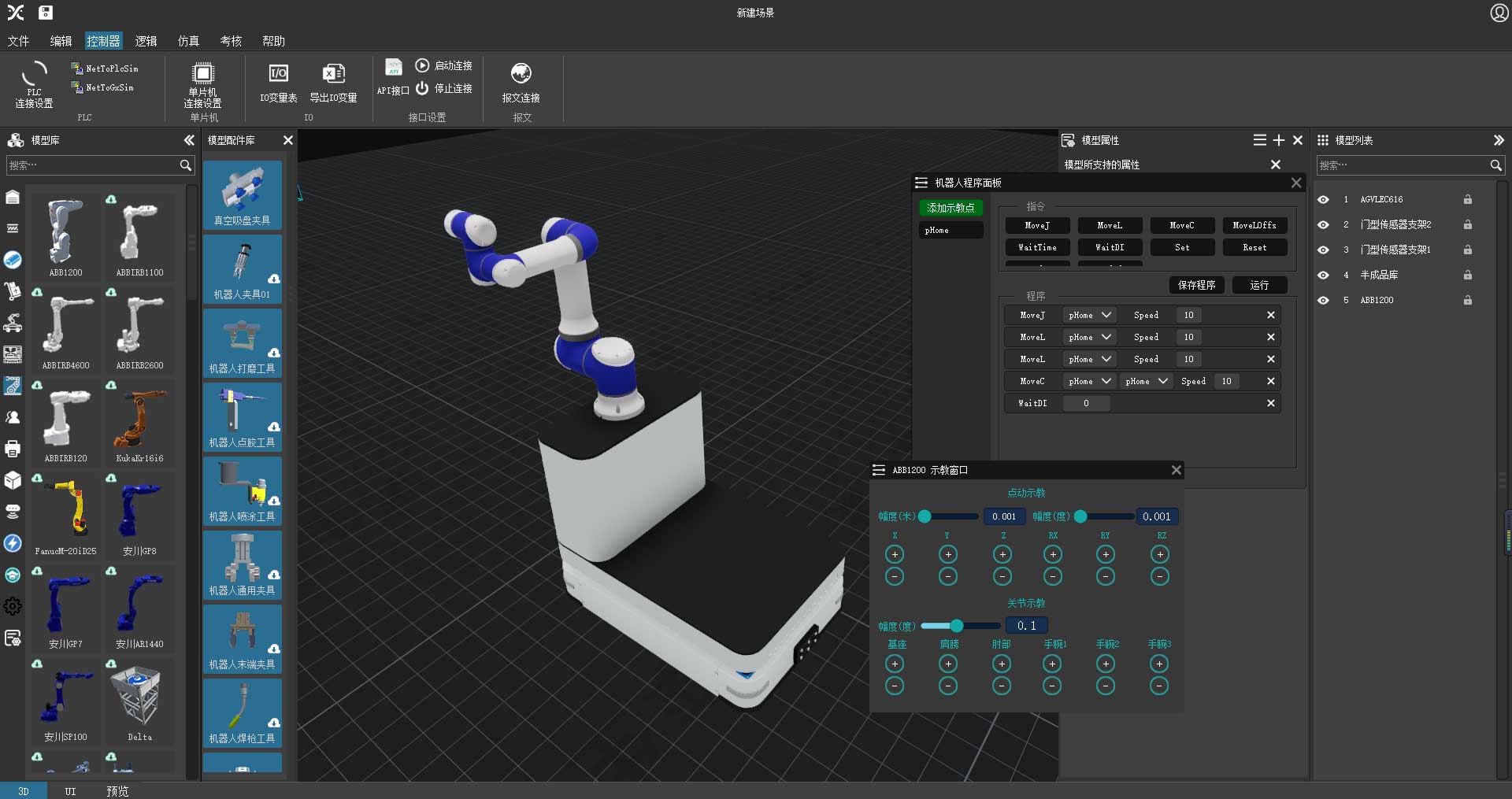
Offline arm programming with forward and inverse kinematics
Built-in forward and inverse kinematics, trajectory interpolation and speed planning algorithms allow offline programming with a virtual teach pendant to validate program logic in advance.Mobile workcell
- Mobile manipulator
- Semi-finished-goods rack
- Sensor supports
Equipment library
- Transfer tables
- Safety fences
- Pallets
- Conveyors
- Raw-material racks
- RFID
Layout controls
- Model position
- Rotation
- Model visibility
- Model locking
View original interface
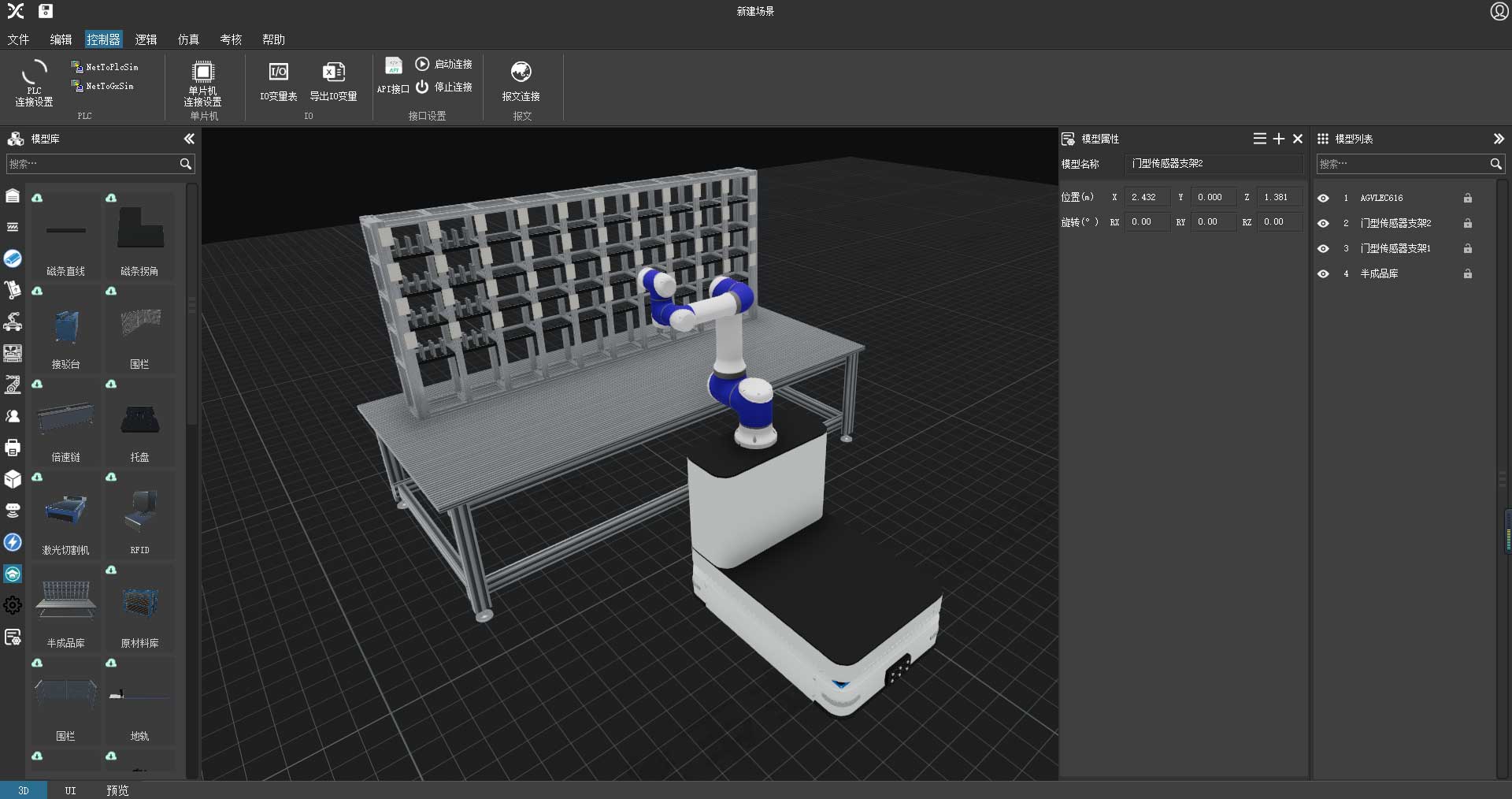
Plan arm trajectories and verify end-effector reachability
For complex grasping tasks, plan virtual trajectories and verify arm reach with the end tool installed before deployment, helping select an appropriate arm.Plan the production line
- CNC lathes
- Loading stations
- Robot travel route
- Charging stations
Teach station actions
- Points P1–P6
- MoveJ
- MoveL
- WaitTime
- Speed
Coordinate movement
- Travel between machines
- Align at loading points
- Sequence arm actions
View original interface
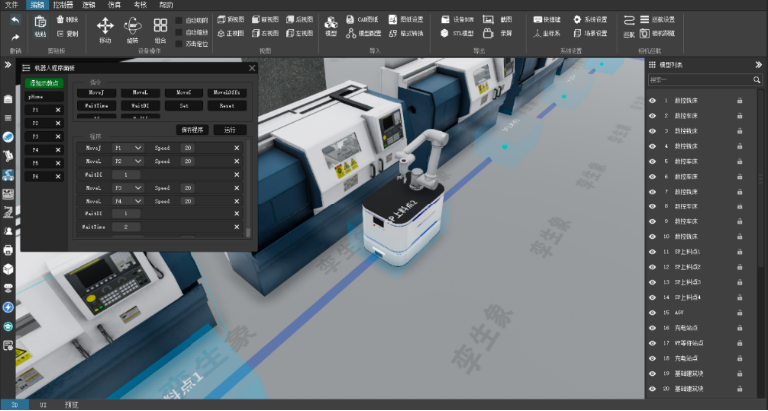
Mobile robot station layout and trajectory planning
Build scenes by dragging and dropping models, then lay out stations and plan routes in advance to validate transport paths.Model the environment
- Building geometry
- Door opening
- Safety barriers
Configure the robot
- Base: 1.035 m × 0.685 m
- Support height: 0.1 m
- L platform: 0.4 m long × 0.5 m high
Review clearance
- Robot envelope
- Turning area
- Door passage
- Position and rotation
View original interface
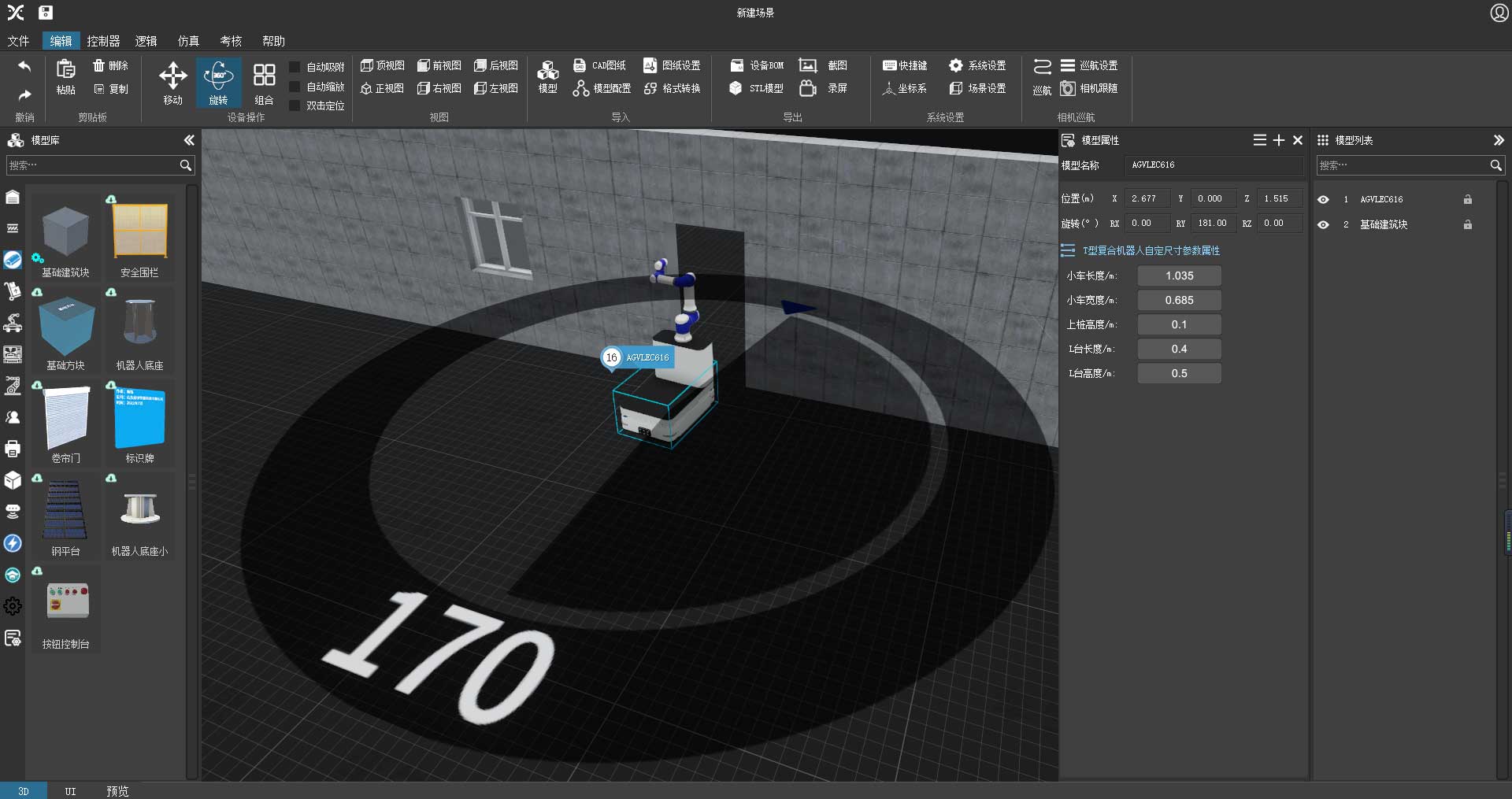
Validate mobile robot clearance and logistics feasibility
View mobile manipulator clearance envelopes and turning radii dynamically in real time. Quickly model roller doors, long corridors and narrow spaces to verify that the robot can pass through the project layout.