Digital Twin Simulation and Validation Platform for Intelligent Manufacturing
Twin Elephant Sim
Validates production solutions before deployment through end-to-end simulation and equipment parameter configuration.
Talk to an expertTimer inputs
- Flow start → timer
- Number: 10 → timer
Logging
- Timer output → print log
- Text: “Production line started” → print log
Additional node
- Flow end (not connected in this example)
Twin Elephant Sim
Digital Twin Simulation and Validation Platform for Intelligent Manufacturing
Developed by JINSYS, Twin Elephant combines planning and simulation for smart factories, production lines, warehousing and logistics. Built-in validation simulates the complete manufacturing process and connects process, structure, control and logic for closed-loop technical and business verification. Virtual commissioning from multiple perspectives allows early analysis of business logic, while coordinated virtual and physical operation supports controllable, sustainable and predictable factory production.
End-to-end process simulation
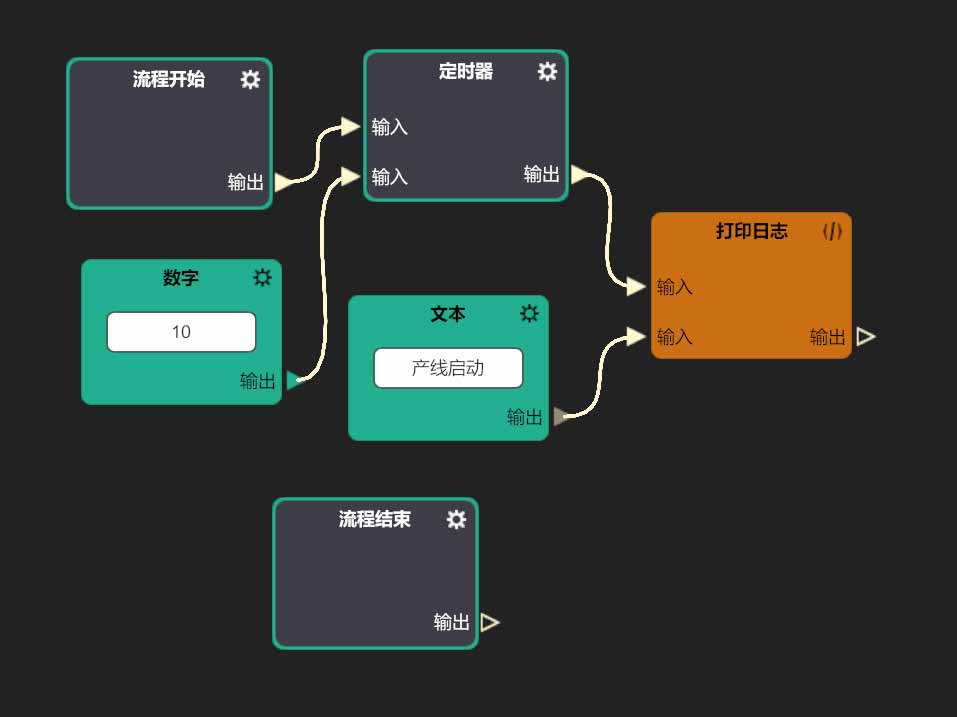
Simulation — Visual Logic Timer inputs
- Flow start → timer
- Number: 10 → timer
Logging
- Timer output → print log
- Text: “Production line started” → print log
Additional node
- Flow end (not connected in this example)
View original interface
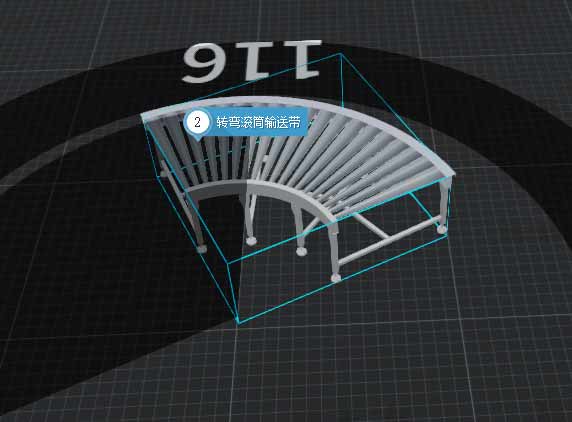
Customize equipment parameters to respond quickly to real requirements.
Simulation — Parametric Warehouse Model Model
- Aisle stacker crane
- Position: X −0.924 / Y 0 / Z 0.501 m
- Rotation: 0° on all axes
Warehouse configuration
- Single-deep / double-deep
- Levels: 4
- Columns: 4
- Height: 5790
- Depth: 1000
- Single / double reach spacing: 1350 / 2650
Rack structure
- Foot height: 115
- Upright spacing / width / depth: 2400 / 100 / 90
- Location height: 1200 mm
- Starting height: shallow 750 / deep 860
Stacker configuration
- Body width: 2400
- Pallet width: 450
- Rail extension: 2400
- Limit offset: 530
- X / Y origin correction: −4200 / 500
- Fork-stage limits: 950 / 950 / 950
Actions: merge models, generate materials and confirm. Values are the published example settings.
View original interface
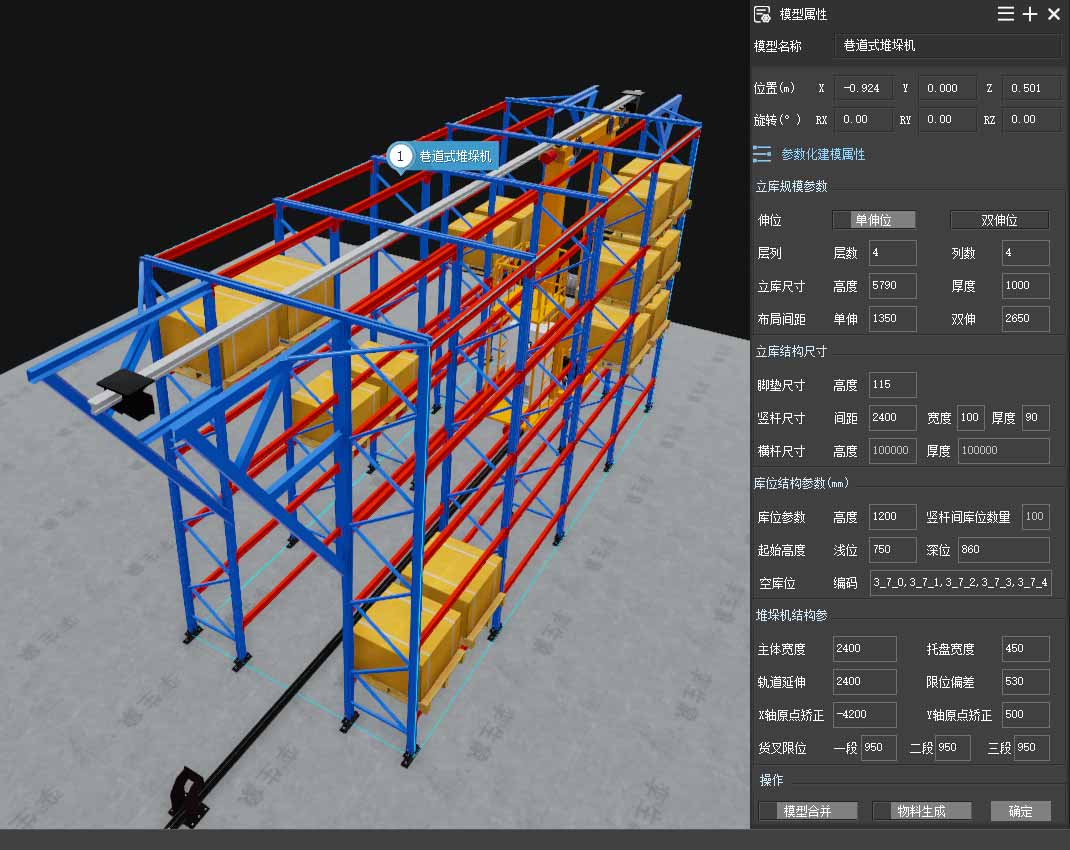
Parametric equipment modeling automatically generates corresponding solution models.
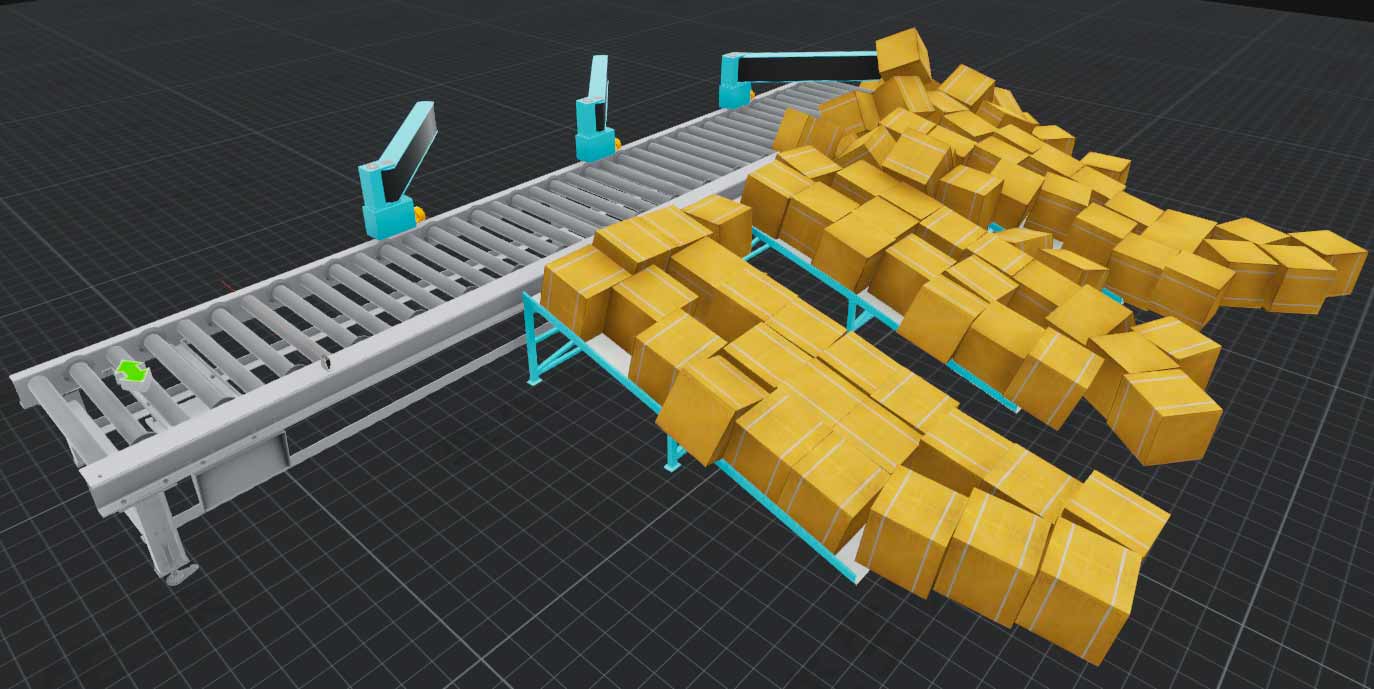
Physical property simulation
Product detection
- %M25.0 — Photoelectric sensor signal
- ADD: increment product count by 1
- %MW100 — Product count
Routing calculation
- MOD: product count modulo 3
- %MW110 — Remainder
- Reset sensor signal
Sorter outputs
- Sorter 1: %M20.0 forward / %M20.1 reverse
- Sorter 2: %M20.2 forward / %M20.3 reverse
- Sorter 3: %M20.4 forward / %M20.5 reverse
View original interface
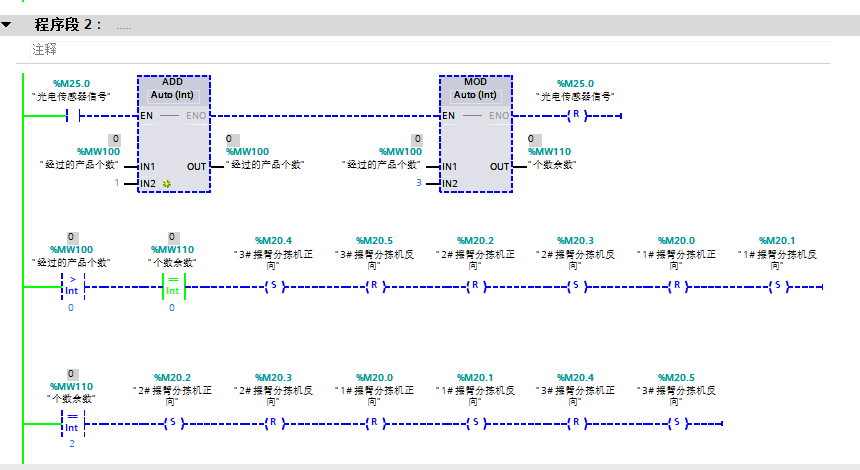
Virtual PLC commissioning
Electrical components
- 2P / 3P / 4P 32 A circuit breakers
- Thermal relay
- Time relay
- CJ20-25 AC contactor
- Fuse
Power and control
- Potentiometer
- Variable transformer
- 24 V power supply
- Autotransformer
- Stepper-motor driver
Wiring palette
- Red / green / yellow / black
- Thick and thin wires
- Color-coded terminals
Example exercise
- Autotransformer reduced-voltage starting control
- Motor and instrument panels
View original interface
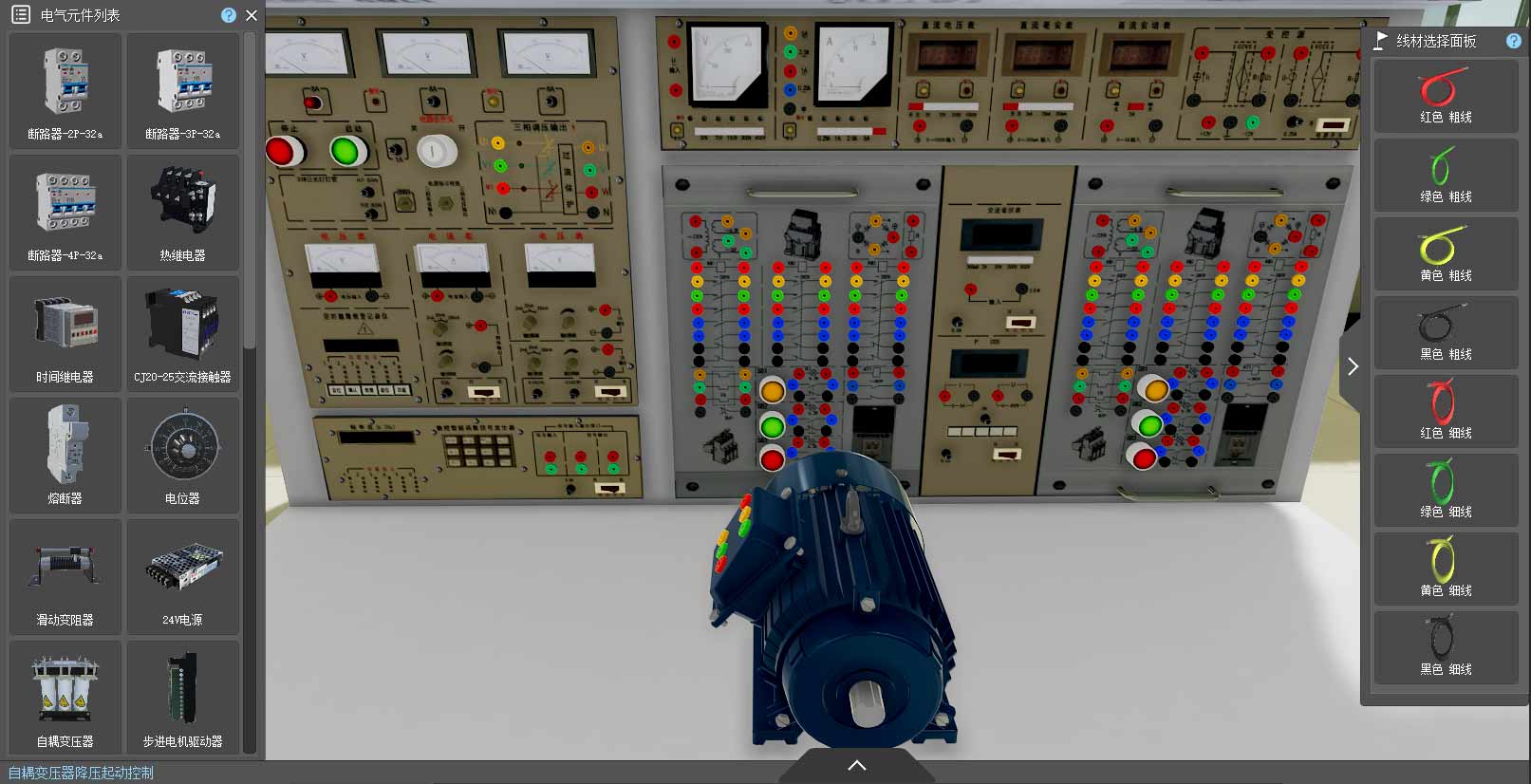
Electrical process simulation
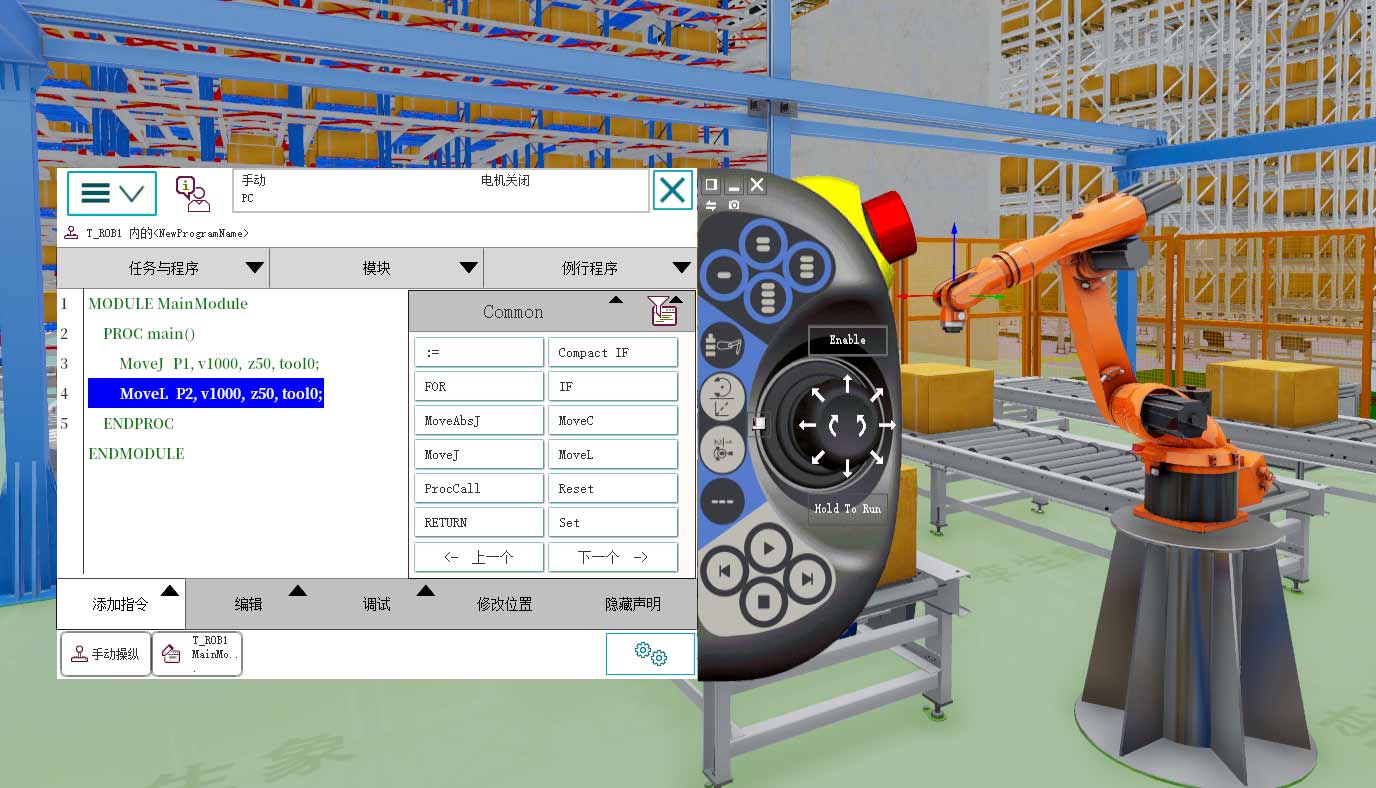
Program workspace
- Manual mode
- Motors off
- Tasks and programs
- Modules
- Routines
Example program
- MODULE MainModule
- PROC main()
- MoveJ P1, v1000, z50, tool0;
- MoveL P2, v1000, z50, tool0;
- ENDPROC / ENDMODULE
Programming tools
- Add instruction
- Edit
- Debug
- Modify position
- Hide declarations
- Previous / next
Pendant controls
- Enable
- Hold to run
- Jog
- Run / stop
- Manual jogging
View original interface